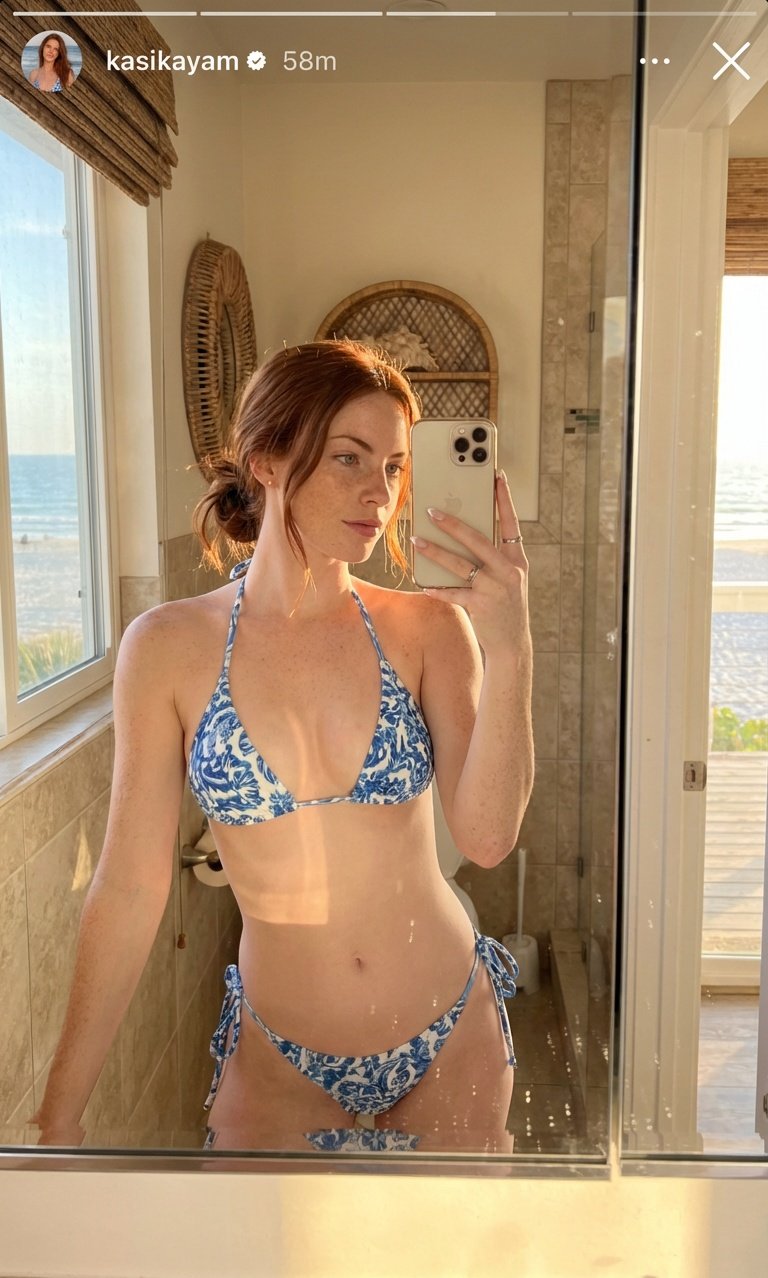
How to Create an Instagram Story Mirror Selfie with Nano Banana Pro
Tags
Copy prompt
How to Create a Instagram Story Mirror Selfie with Nano Banana Pro? Prompt Included! I’ve been experimenting with **Nano Banana Pro** and created a *hyper-realistic Instagram Story mirror selfie* look — perfect for vacation vibes, beach aesthetics, and soft luxury energy. This one is styled like a **beach bathroom mirror selfie**, with warm light, soft glow on the skin, and ultra-realistic details. Works great for **9:16 Instagram Stories**. 1. Go to Nano Banana Pro 2. Write the full prompt given below 3. Upload your reference image 4. Hit "Generate" and get the edited image Prompt: "Instagram story without send message section, aspect ratio 9:16. A Instagram story mirror selfie of the woman from the reference image during a day at vacation, styled for a beach bathroom, with nice quality lighting, hud lighting., soft warm lighting. Subtle glow on skin, mirror reflection, detailed hair. Hyperealism, high quality, ultradetail camera. She is wearing a bikini." Tips for Best Results: * Use a **clear, well-lit reference image** for better face consistency * Slightly increase **lighting realism / skin detail** if available * Works best with **soft warm tones + subtle highlights** * Ideal for **Instagram Story (9:16)** exports Share your Instagram story photos below!