Nano Banana Proプロフィール画像生成プロンプト
标签
复制提示词
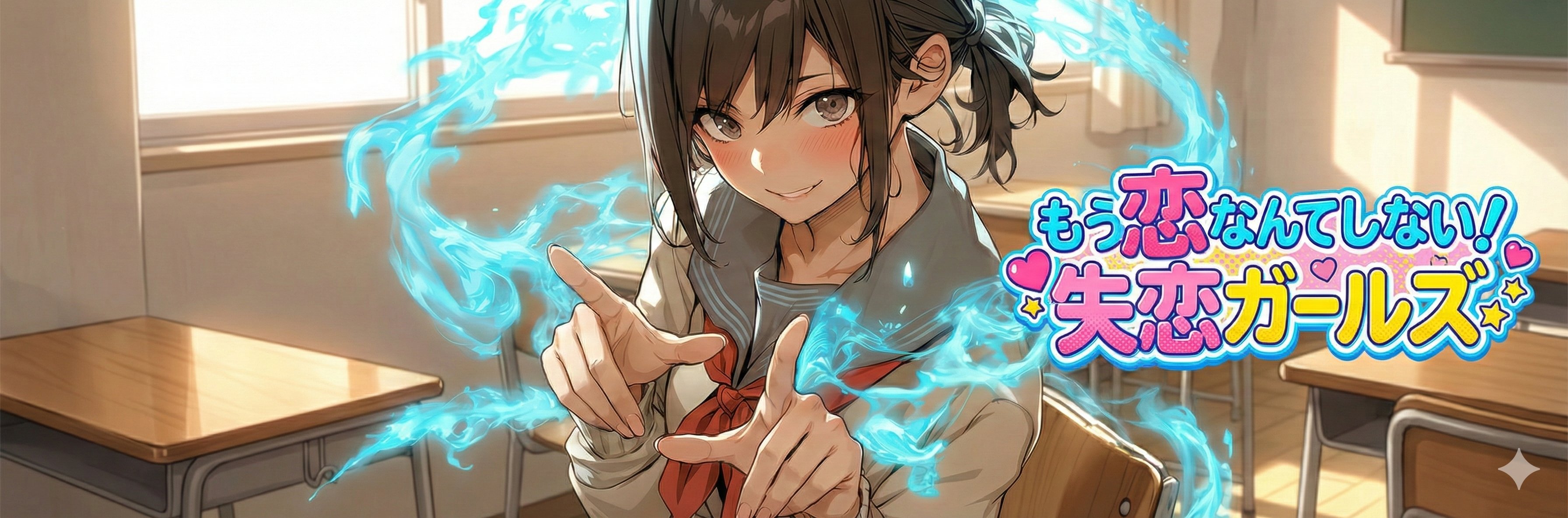
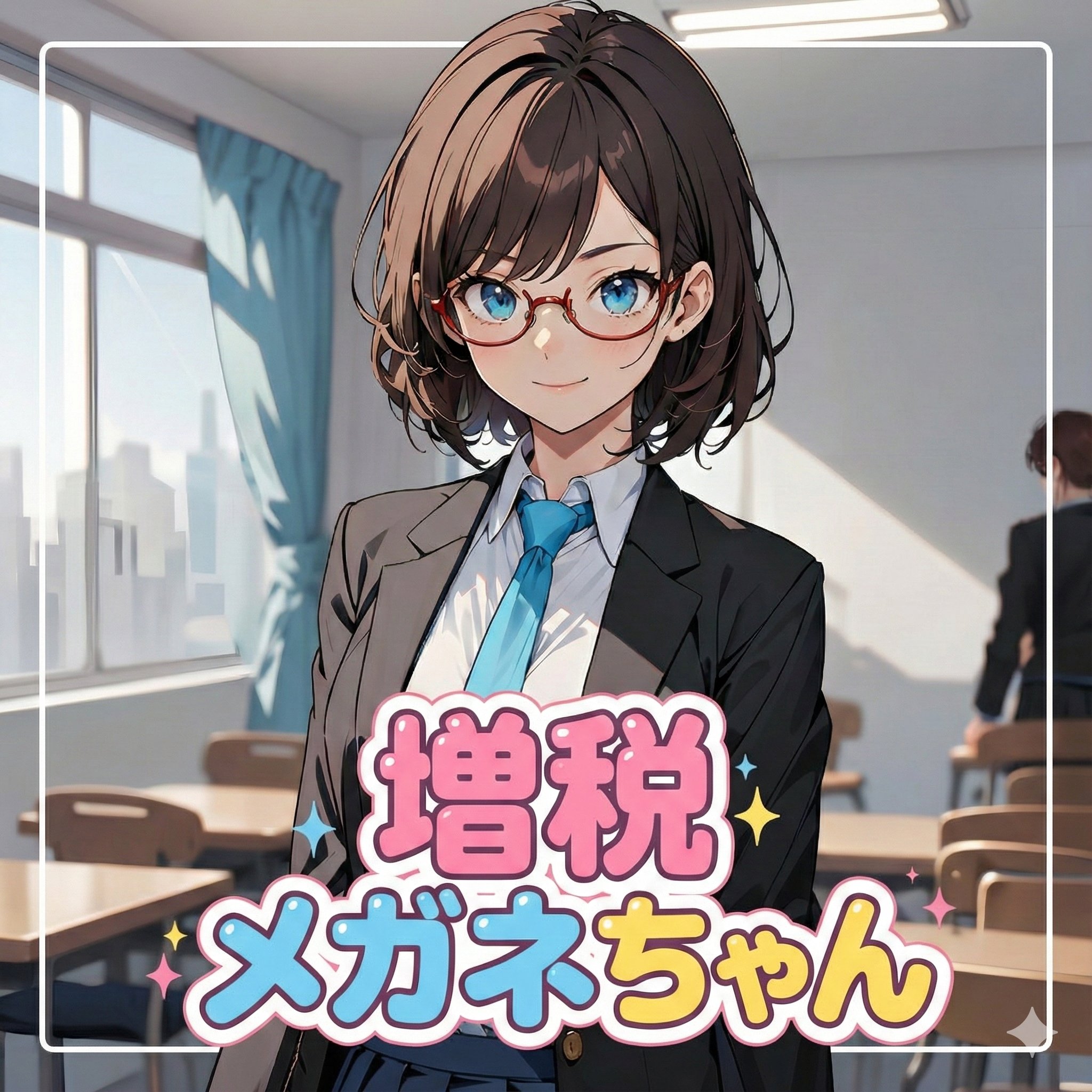
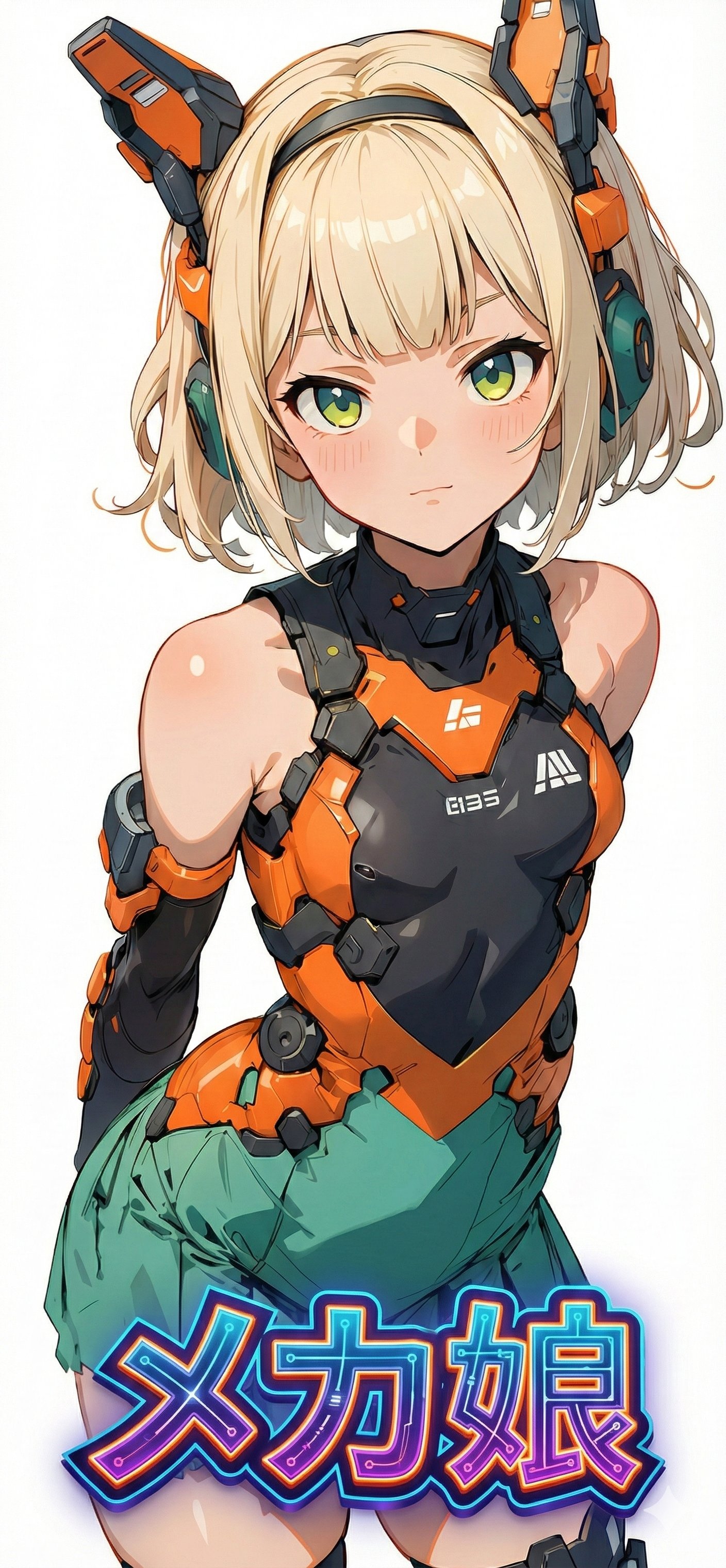
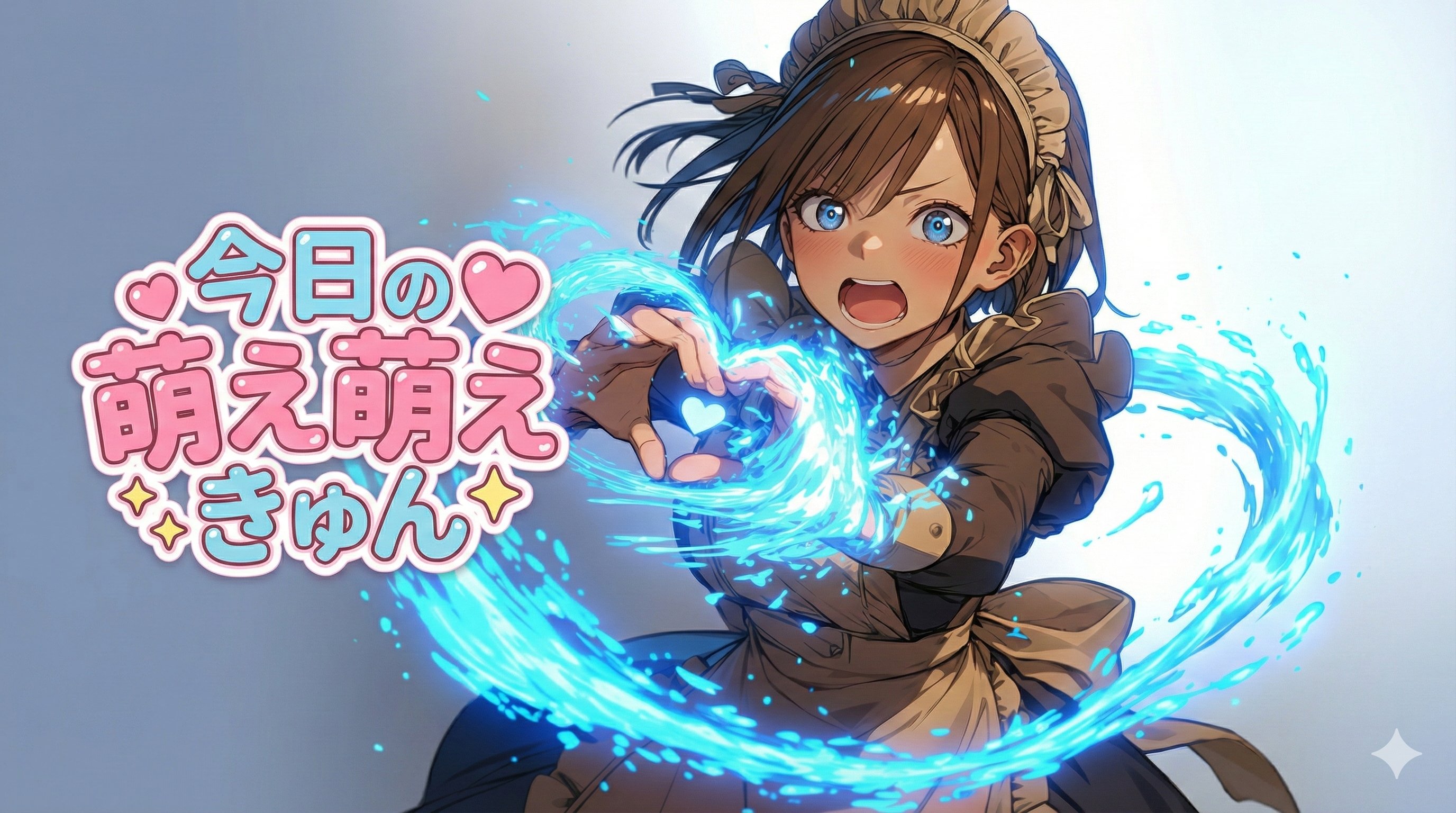
Nano Banana Proで遊ぼう 【新しいプロフィール画像 生成プロンプト最新版】 ⠀ Geminiからの生成ならば、アスペクト比を任意に指定できることが判明したので「アイコン・ヘッダー画像・スマホ壁紙など」に対応できるように改良しました。 ⠀ ロゴの表示位置を指定できるように変更しました。 ⠀ 任意のアスペクト比で生成できるので用途が「新しいプロフィール画像」に限られませんが、SEO的にこの名称のままにします。 ⠀  ̄ ̄ ̄ ̄ ̄ ̄ ̄ ̄ ̄ ̄ 参照画像を任意のアスペクト比のロゴ付き画像として生成するプロンプトです。参照画像に加えて任意の文字列をロゴ風にデザインして配置します。 __________ ⠀ ⚠️必ず最後までお読みください。 ・Nano Banana Pro専用のプロンプトです。 ・アスペクト比を任意に指定できる プラットフォームに対応します。 ・プロンプトの無断転載は禁止します。 ・ヘッダーとして使用する前提なので signatureブロックを設けていませんが 公開時にはてんねんのプロンプトと 添えて頂けると嬉しいです。 ⠀ ◆概要 参照画像のキャラクターを任意のアスペクト比で生成し、任意の文字列をロゴ風にして任意の位置に配置します(任意多い)。背景は参照画像から推論します。 ⠀ スマホ壁紙サイズ(iPhone)で生成できるのは個人的に大きいです。時計が顔にかぶってしまうので、今後調整するかもしれません。 ⠀ 参照画像のキャラクターの「顔」を認識、推論して安全圏中央に配置するようにしています。「ズーム」の「on/off」を指定できるようにしているので、offの場合は参照画像の構図をできるだけ維持、onの場合は顔中心のバストアップにトリミングして配置します。 ⠀ ロゴの“形/書体/装飾”は、「文字列」と「プリセット」から推論します。プリセットには、例をプロンプト中にコメント表示していますが、これに限らず任意のワードを指定できます。 ⠀ ◆使い方 # ===== USER CONTROLS ===== ブロック内の下記項目を指定してください。 ⠀ ・アスペクト比の指定 aspect_ratio: "3:1" 例:3:1, 21:6, 16:9, 9:19.5, 2:1 など Xのプロフィール画像としては「1:1(アイコン)」「3:1(ヘッダー)」がおすすめです。 スマホ壁紙としては「9:19.5(iPhone)」がおすすめです。Androidはメーカーによって異なるので自分の機種の適合サイズを調べてください。多分、近いアスペクト比で生成できます。 ⠀ ・表示文字列の指定 title_text: "<<YOUR_TEXT>>" ””内を任意の文字列に書き換えてください。 ⠀ ・ロゴデザインプリセットの指定 title_style_preset: "cool" 例:cool, cute, cool_cute, luxury, pop, cyber, minimal, retro, kawaii ⠀""内を任意のワードに書き換えてください。 例をコメント表示していますが、限定しているわけではないので、これ以外の任意のワードを指定できます。 「表示文字列」と、ここで指定したワードからデザインを推論します。背景との調和のために参照画像の要素が含まれることがあります。 ⠀ ・ズームのon/off face_zoom: "off" 例:off, on ""内を任意に書き換えてください。 off:参照画像の構図をできるだけ維持 on:顔中心のバストアップにトリミングして配置 ⠀ ・ロゴの表示位置 logo_position: "right" 例:up, down, left, right ""内を任意に書き換えてください。 downのみキャラクターにかぶせて配置します。 それ以外は極力キャラクターを避けて配置します。 ⠀ ◆作例 1枚目 ・アスペクト比: ・プリセット:pop ・ズーム:on ・位置:right 2枚目 ・アスペクト比:1:1 ・プリセット:cute ・ズーム:on ・位置:down 3枚目 ・アスペクト比:9:19.5 ・プリセット:cyber ・ズーム:off ・位置:down 4枚目 ・アスペクト比:16:9 ・プリセット:kawaii ・ズーム:off ・位置:left ⠀ ◆プロンプト(全文をコピペ) # ===== USER CONTROLS ===== aspect_ratio: "3:1" # examples: 3:1, 21:6, 16:9, 9:19.5, 2:1 ... (set any) title_text: "<<YOUR_TEXT>>" title_style_preset: "cool" # cool, cute, cool_cute, luxury, pop, cyber, minimal, retro, kawaii face_zoom: "off" # off, on logo_position: "right" # up, down, left, right subject: > Create a wide banner using the provided reference image content. The primary face must be centered, and a title logo (derived from title_text + title_style_preset) must be placed clearly in the composition. composition: > Use the aspect ratio defined in USER CONTROLS (aspect_ratio). Keep important elements comfortably inside the frame with inner padding: - Keep the face and the title logo at least 15% away from the left/right edges. - Keep the face and the title logo at least 16% away from the top/bottom edges. Background may extend to the edges. action: > Place the reference image content with maximum fidelity. Auto-crop/scale/reposition to fit the banner with no stretching. Detect the primary face (if multiple faces, pick the largest/most prominent). Center the primary face in the frame (horizontally and vertically). Never crop off the face/eyes; keep the full face comfortably inside the inner padding (not near edges). Face zoom behavior: - If face_zoom is OFF: keep the original framing as much as possible while still centering the face. - If face_zoom is ON: zoom/crop to a bust-up portrait centered on the face (head and shoulders visible; include upper chest; do not crop the top of the head or chin). Logo placement behavior (relative to the character/face): - If logo_position is UP: place the logo above the character/face; avoid overlapping the face. - If logo_position is LEFT: place the logo to the left of the character/face; avoid overlapping the face. - If logo_position is RIGHT: place the logo to the right of the character/face; avoid overlapping the face. - If logo_position is DOWN: place the logo below the character/face. Overlap with the character is allowed ONLY for DOWN (but do not cover the eyes; keep the face recognizable). Create/adjust negative space for the logo using crop/reposition/outpainting background. Prevent clipping at all costs: if the title logo risks clipping, reduce size and reposition until fully visible. Treat the logo as having an expanded bounding box due to styling (outline/shadow) and keep extra internal padding. location: > Natural full-bleed background derived from the reference image (continuation/outpaint/blur where needed). No template overlays. style: > Preserve the reference image style (photo stays photo, illustration stays illustration). Convert title_text into a logo-like wordmark by inference using: - the characters in title_text - the vibe indicated by title_style_preset Do not infer the logo’s typography style from the reference image content. Keep it readable and clearly representing title_text. No frames, no borders, no rectangles, no guide overlays. camera_lighting: > Match reference lighting and grading across the banner. Keep the title logo crisp and readable. colors: > Choose title logo colors for strong readability. Colors may harmonize with the reference image palette, but the logo’s typography style must be driven by title_style_preset (not by the image). text: > Source string for the logo: title_text. Render it as a designed logo/wordmark (not plain typed text). Put the logo on the topmost layer. Logo position is controlled by logo_position (up/down/left/right). Do not overlap the face/eyes unless logo_position is DOWN (overlap allowed, but do not cover eyes). Keep the entire logo fully visible with comfortable inner padding from all edges. edit_instructions: > Do NOT draw any frame, border, line, overlay, UI, or bounding guides. No extra text besides the title logo. No watermark. references: - B: "Reference image content for the banner." quality: > High fidelity placement of the reference image with no visible degradation. Preserve fine details, textures, and sharp edges. Avoid excessive denoise, smoothing, painterly re-interpretation, or artifacting. Maintain clean micro-contrast and natural detail. extras: > Export-ready wide banner. Ensure the title logo is fully visible and comfortably inside margins.